Cancelling an appointment
This page is for clients of a practice that uses Practiceful. If you cannot make an appointment, you can cancel it yourself from your account, and the time is offered to other people again.
Before you start
- You are signed in to your account. See Your client dashboard and portal.
- The appointment is still upcoming and is Scheduled or Confirmed. Sessions that have started, finished or already been cancelled cannot be cancelled here.
Cancel an appointment
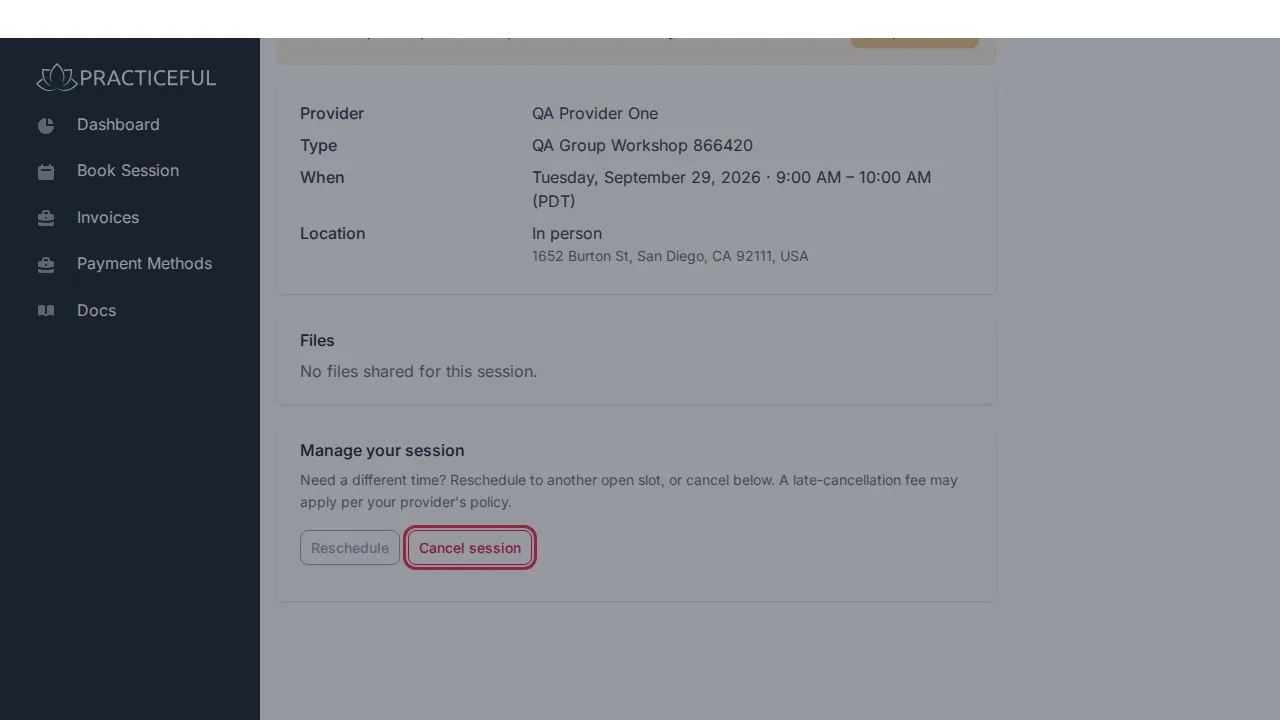
- On your dashboard, under My sessions, press the appointment. Its page opens with the Provider, Type, When and Location.
-
Under Manage your session, press Cancel session. A dialog asks Cancel this session? A late-cancellation fee may apply.
-
Press Cancel session in the dialog to confirm. You see Your appointment has been cancelled. and the page now says This session was cancelled. Please contact your provider with any questions.
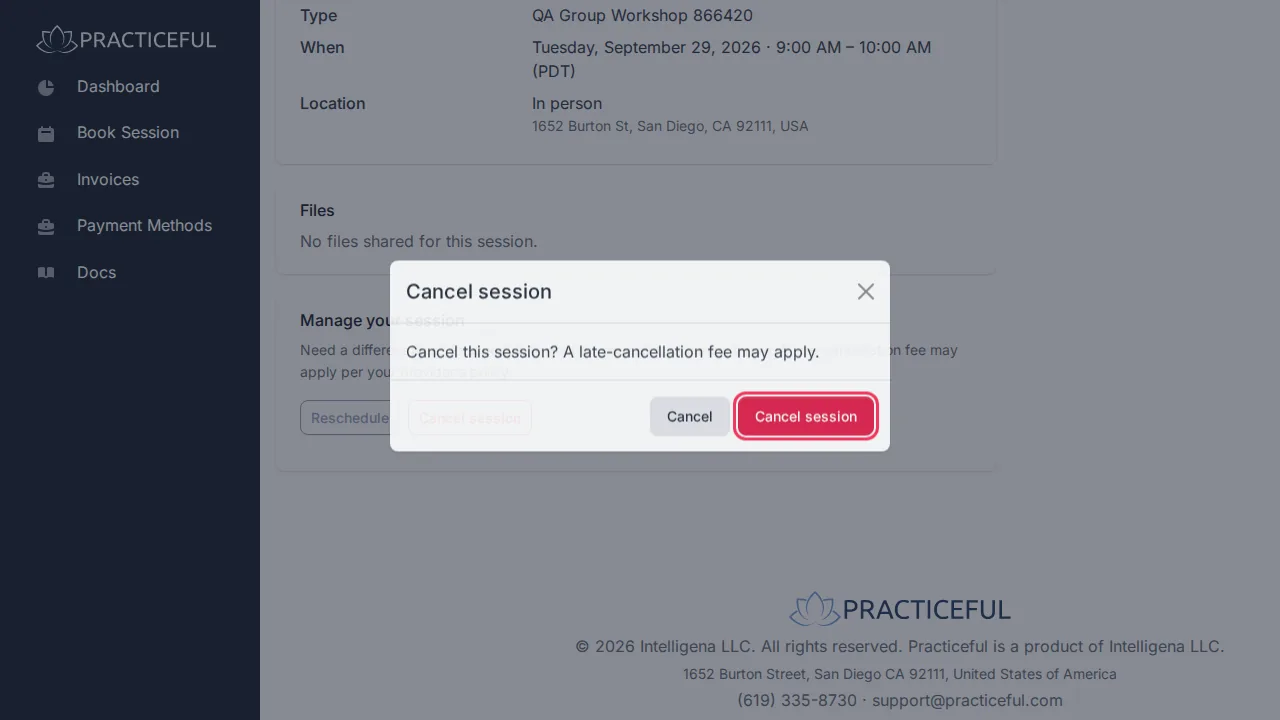
To keep the appointment, close the dialog instead — nothing is cancelled.
Whether a late-cancellation fee applies, and how much it is, is set by your practice. If they charge one, you were shown the terms when you booked — see Booking an appointment.
Manage your session also has Reschedule, which lets you pick another day and press Find times to move the appointment to another open time.
If something goes wrong
| You see | What it means | What to do |
|---|---|---|
| This appointment can no longer be cancelled. | The appointment has already started, finished or been cancelled | Contact your practice. |
| No Manage your session section | The appointment is not one you can change yourself | Contact your practice. |