Session summaries
This page is for clients of a practice that uses Practiceful. After a session, your provider may send you a written summary of it. The email contains a link, never the summary itself, so the summary does not sit in your inbox.
Before you start
Your provider has sent you the summary. You receive an email from your practice with a link to it.
Read a summary from the emailed link
Session summaries are private, so the link asks you to prove it is you before showing anything.
-
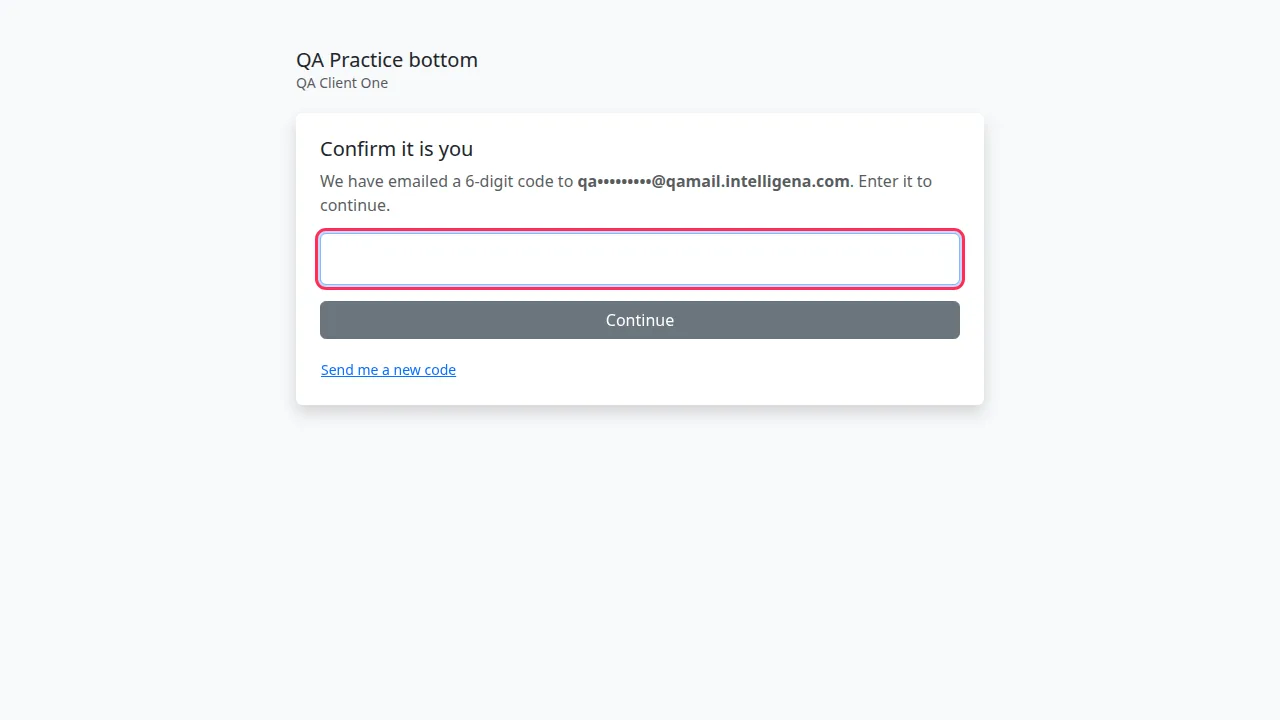
Open the link in the email. Confirm it is you says a 6-digit code has been emailed to you (the address is partly hidden). The summary is not shown yet.
-
Type the code from the second email and press Continue.
-
Your session summary opens, with your practice's name, the summary itself, and any session details your provider chose to include — for example When, Length, Where, With and Also there.
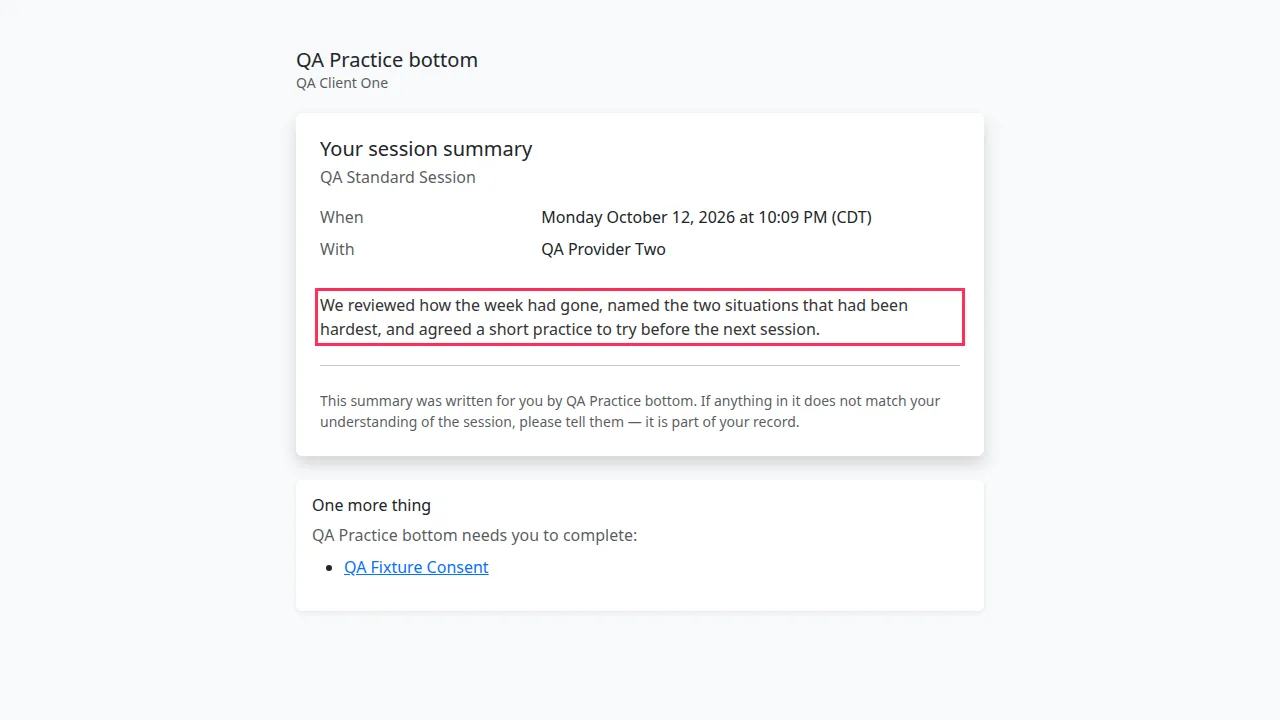
Your provider decides which details to include when they send the summary, so some summaries show none of them. If the code does not arrive, press Send me a new code — see Forms.
Read what your provider shared on your appointment page
If you have an account, your appointment's page (open it from My sessions on your dashboard) can also show a Session summary and Notes from your provider — but only when your provider has chosen to share them with you. The page may also list Files for the session and offer an Insurance superbill to download.
If something goes wrong
| You see | What it means | What to do |
|---|---|---|
| This link no longer works | The link has expired or been withdrawn | Ask your practice to send it again. |
| That code doesn't match. Please check and try again. | The code was mistyped, or it is not the newest one | Check the latest email and try again. |
| That code has expired. Ask for a new one below. | The code is too old | Press Send me a new code. |